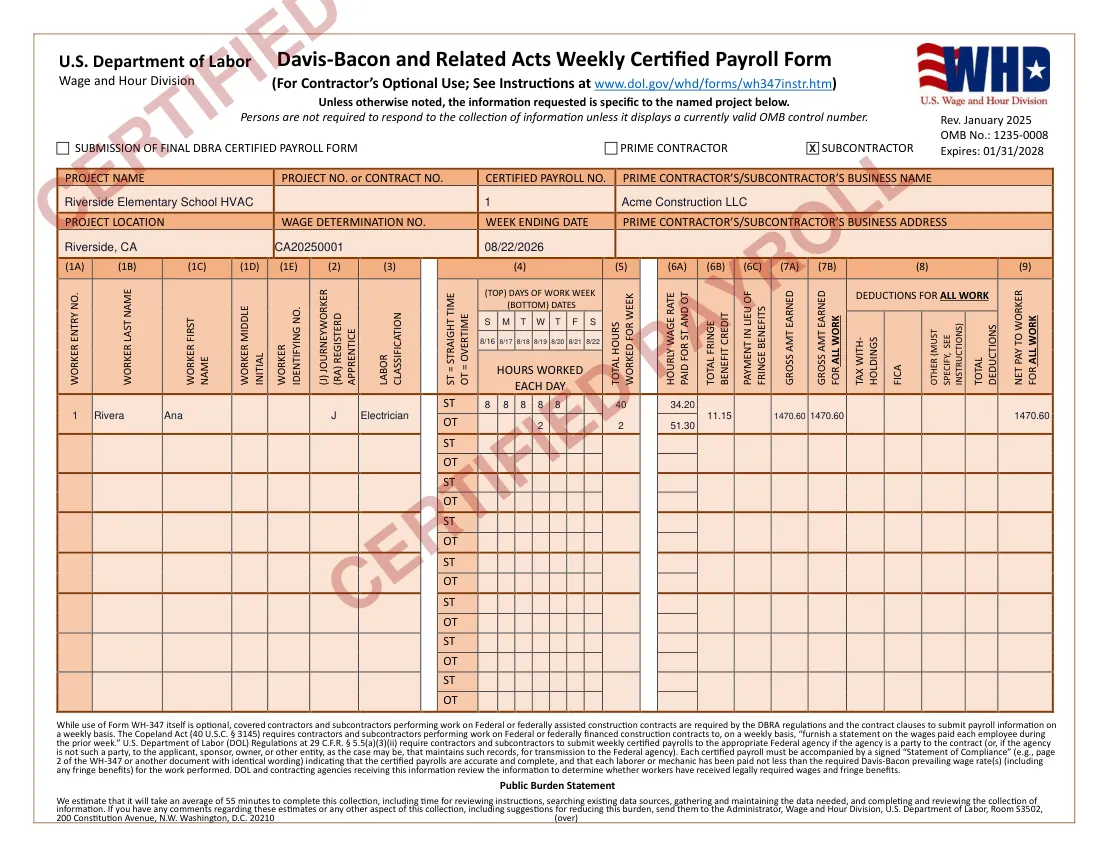
Keep your payroll system. Add the WH‑347.
Your payroll system calculates what you tell it. Certified Payroll covers the federal weekly report on top: the WH‑347, with every worker's rate checked against the project's wage determination.
Tested against 5 real federal wage determinations across 5 states, 385 of 385 rows parsed correctly.
Federal work adds a second question: what must the rate be? That depends on the classification, the county, and a wage determination that changes over time. Every weekly WH-347 has to answer it for each worker.
Base rate and fringe for each classification are set by the project's determination on SAM.gov, not by your payroll system.
The WH-347 has fixed fields, a second page and a signed Statement of Compliance. A payroll export rarely matches it.
One project can mean weekly reports for months. Retyping hours and rates is where mistakes creep in.
Which payroll platform covers what? QuickBooks, Gusto, ADP and Paychex compared
Use sample worker, hour, classification, wage, and fringe-benefit data to see how the report comes together. Complete a sample weekly payroll and generate a watermarked WH-347 PDF.
Sample Mode uses sample data and does not connect to SAM.gov. Live wage-determination checks are available in the full version.
Enter each worker's classification and hours by day.
The full version matches classifications and rates against the project's applicable SAM.gov wage determination.
Generate the WH-347, Statement of Compliance, and continuation sheets.
Flags when base pay plus fringe may be below the required determination rate.
Flags potential overtime-entry issues and calculates overtime rates.
Checks project and worker totals as you enter the report.
Keeps fringe-benefit fields and the Statement of Compliance aligned.
Paste a wage determination number and see every classification with base rate and fringe, the way SAM.gov publishes them. No account.
Certified Payroll is independent software for federal Davis-Bacon reporting. It is not affiliated with the U.S. Department of Labor or SAM.gov.
The parser was tested against five real federal wage determinations across five states and correctly read 385 of 385 table rows. This is an internal test result, not a government certification or a guarantee of legal compliance. Accuracy & limitations
For contractors and subcontractors who prepare federal certified payroll reports in-house and already run payroll elsewhere.
For contractors who prepare federal certified payroll every week.
If you only file a WH-347 once or twice a year, the two free payrolls or the blank government form may be enough. The paid plan is designed for recurring weekly work.
Try the sample WH-347 with example data, generate a watermarked PDF, and decide whether the workflow fits your process.
No credit card · No setup fee · No contractNo. Keep QuickBooks, Gusto, ADP or whatever you use today. Certified Payroll only prepares the federal weekly report. There is no payroll-system import, you enter the hours and rates for the report.
It depends on the product and the plan. QuickBooks offers a certified payroll report in some tiers. Gusto, ADP and Paychex do not generate the form without a separate tool. The comparison article shows where each one stops.
No. Certified Payroll is independent software that helps prepare the public WH-347 form using public SAM.gov wage data. It is not affiliated with the U.S. Department of Labor or SAM.gov.
The full version uses the wage determination associated with the project and checks worker classifications and rates against it. You remain responsible for entering and reviewing the correct project information.
No, and that's deliberate. The tool covers the federal WH-347 only. If you need a state format like California's DIR eCPR alongside the federal WH-347, you'll need a second tool for that piece.
Two payrolls are free, no credit card. After that it is $79 per month with no contract and no setup fee. Sample Mode needs no account at all.